Smart card terminal · No phone needed
Stripe Reader S700 / S710
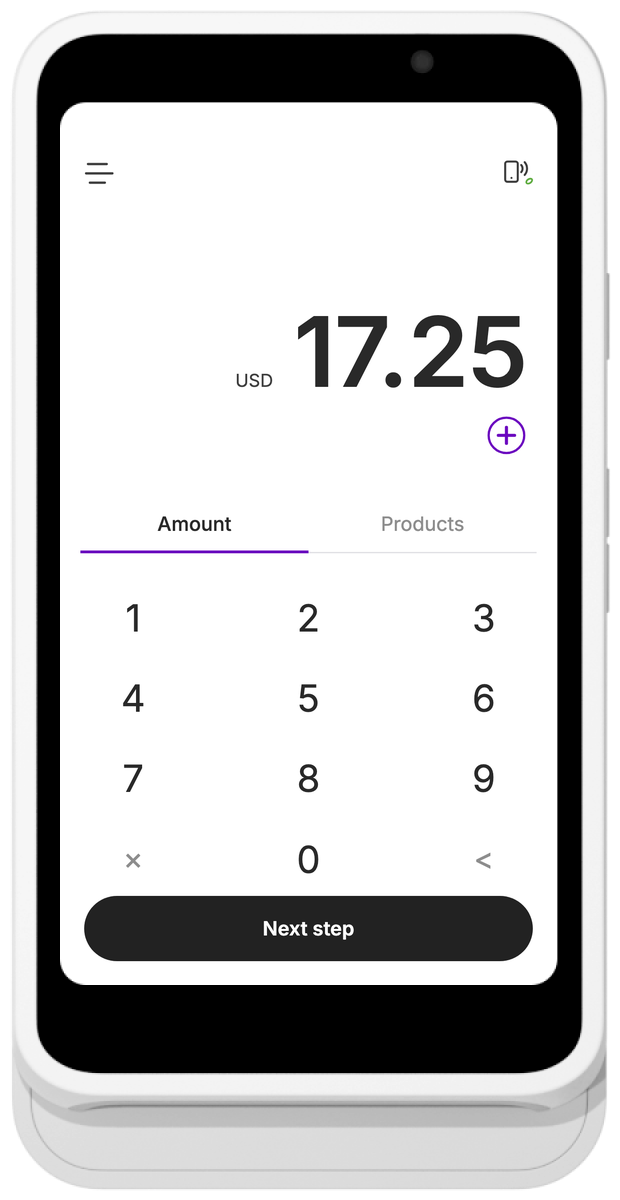
The Stripe Reader S700 and S710 are handheld card terminals that run Paid directly on the reader. You enter the amount on its screen and the customer taps, inserts or swipes their card on the same device. No phone or computer needed.
- Paid runs on the reader: enter the amount, the customer pays
- Wi-Fi or Ethernet, plus 4G mobile data on the S710
- Offline payments, so you keep taking cards when the internet drops
- Also works with the Paid app on iPhone and Android
-
1
On your phone
Download Paid from the App Store or Google Play, open it and connect your Stripe account. If you don't have one yet, you can create it in the app.
-
2
On the reader
Turn on the reader and connect it to the internet: Wi-Fi, Ethernet with the hub, or mobile data on the S710.
-
3
On the reader
Swipe in from the left edge of the screen, tap Settings, enter the admin passcode 07139 and tap Generate pairing code. Keep the three-word code on screen.
-
4
On your computer
Open dashboard.stripe.com in your browser and sign in. In the account switcher at the top left, select the Stripe account you connected to Paid.
Tip: Register the reader to the same Stripe account you use in Paid. Otherwise Paid won't open on the reader.
-
5
On your computer
Go to Terminal → Readers and click Register reader. Enter the pairing code and choose a location, or create one.
-
6
On the reader
Restart the reader. Paid installs and opens on its own, which can take a few minutes. Sign in and take your first payment.


Also works with your phone How to connect a Stripe Reader S710 or S700 to the Paid app on your phone
Prefer to ring up sales on your phone? Connect the reader to the Paid app on your iPhone or Android phone instead. You enter the amount in the app and the customer pays on the reader, just like with a Bluetooth reader. Your phone and the reader need to be on the same network.
-
1
On your phone
Download Paid from the App Store or Google Play, open it and connect your Stripe account. If you don't have one yet, you can create it in the app.
-
2
On the reader
Turn on the reader and connect it to the same network as your phone.
-
3
On the reader
Swipe in from the left edge of the screen, tap Settings, enter the admin passcode 07139 and tap Generate pairing code. Keep the three-word code on screen.
-
4
On your phone
In the Paid app, choose Internet reader, tap Register new reader and enter the code. You can give the reader a nickname, like Front desk.
-
5
On your phone
Select the reader to connect. Enter an amount in Paid and the customer pays on the reader.
FAQ
Stripe Reader S700 / S710 questions
What is the difference between the Stripe Reader S700 and S710?
They are the same reader with the same 5.5-inch screen, battery and payment methods. The S710 adds a 4G/LTE mobile data connection, so it can take payments where there is no Wi-Fi. The S700 connects over Wi-Fi or Ethernet only.
Can the S700 or S710 take payments offline?
Yes. If the reader loses its internet connection, Paid keeps taking card payments and stores them on the reader. They are sent to Stripe automatically once the reader is back online. Stripe limits how much you can take while offline, and because the card can't be checked at the time, an offline payment can still be declined later.
I restarted the reader but Paid didn't open. What should I check?
Make sure the reader is registered to the same Stripe account you use with Paid and that it is online. Leave it on power for a few minutes so it can download Paid, then restart it again.
How much does it cost to use Paid with the S700 or S710?
Paid charges 0.99% per transaction on top of Stripe's standard fees, with no monthly or setup fees. You buy the reader from Stripe.
Availability
Stripe Reader S700 / S710 is supported in 39 countries
Availability follows Stripe Terminal. The list below reflects the countries where this reader can be used with Paid.
- Australia
- Austria
- Belgium
- Bulgaria
- Canada
- Croatia
- Cyprus
- Czech Republic
- Denmark
- Estonia
- Finland
- France
- Germany
- Hong Kong
- Hungary
- Ireland
- Italy
- Japan
- Latvia
- Liechtenstein
- Lithuania
- Luxembourg
- Malaysia
- Malta
- Mexico
- Netherlands
- New Zealand
- Norway
- Poland
- Portugal
- Romania
- Singapore
- Slovakia
- Slovenia
- Spain
- Sweden
- Switzerland
- United Kingdom
- United States
No countries match your search.
Reader finder
Not sure which reader you need?
Answer three quick questions and we'll recommend the right option for your phone and country. You might not need a reader at all.
Keep exploring
Other card readers
Contactless · No extra hardware
Tap to Pay on iPhone
Accept contactless cards and wallets with just your iPhone — no card reader needed.
View details Tap to PayContactless · No extra hardware
Tap to Pay on Android
Accept contactless cards and wallets with an NFC-enabled Android phone.
View details BluetoothBluetooth mobile reader
BBPOS WisePad 3
A compact handheld Bluetooth reader for chip, contactless and PIN payments.
View details BluetoothBluetooth mobile reader
Stripe Reader M2
A compact handheld Bluetooth reader for accepting payments on the go.
View details InternetInternet reader · Touchscreen
BBPOS WisePOS E
An all-in-one internet reader with a touchscreen for countertop and handheld use.
View details InternetInternet reader · Built-in printer
Verifone V660p
A countertop internet reader with a touchscreen and a built-in receipt printer.
View detailsDownload it now
Accept card payments with just your phone