Tap to Pay vs a card reader for Stripe
Last updated
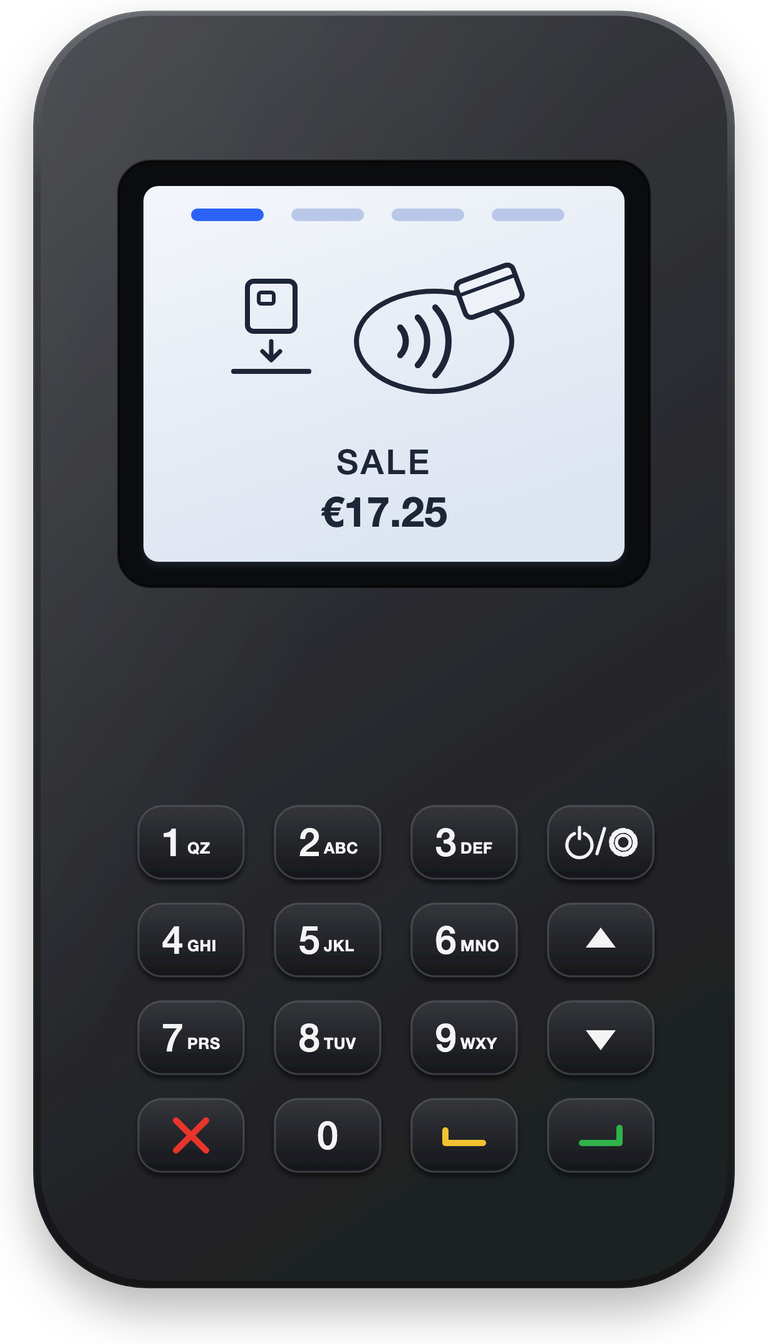
For most small businesses that sell on the move, Tap to Pay is enough: your phone takes contactless cards and wallets, and there is nothing to buy. A card reader is worth it if you need chip and PIN or swiped cards, want a separate device for the customer, or take enough payments that the per-payment Tap to Pay fee adds up.
Both work with your existing Stripe account, and with Paid you can use either, or both, in the same app.
The short comparison
| Tap to Pay | Card reader | |
|---|---|---|
| Upfront cost | Nothing, uses your phone | From $59 (Stripe Reader M2, US) to $329 (Stripe Reader T600, US) |
| Extra Stripe fee per payment | $0.10 in the US, £0.10 in the UK, €0.10 in the eurozone | None |
| Contactless cards and wallets | Yes | Yes |
| Chip and PIN (inserted cards) | No | Yes |
| Swiped cards | No | Yes |
| Customer pays on | Your phone | The reader |
| Battery to manage | Your phone's | The reader's too |
| Works without a phone | No | Yes, on the S700, S710, T600, V660p and UX700 with Paid |
| Offline payments with Paid | No | Yes, on the S700/S710, T600, V660p, UX700 and Bluetooth readers |
Stripe's standard in-person fee applies to both. In the US that is 2.7% + 5¢ per payment. Paid adds 0.99% on top either way.
Cost: upfront vs per payment
Tap to Pay costs nothing to start, but Stripe adds a small fee to each Tap to Pay payment: $0.10 in the US, £0.10 in the UK and €0.10 in the eurozone. A reader costs money upfront but has no Tap to Pay fee.
A rough way to compare: in the US, the $59 Stripe Reader M2 costs the same as the Tap to Pay fee on 590 payments. If you take a few payments a week, Tap to Pay is cheaper for years. If you take dozens a day, a reader pays for itself within weeks. Our Tap to Pay fees guide has worked examples for a $50 sale.
Card types
Tap to Pay only takes contactless payments: contactless cards, Apple Pay, Google Pay and other phone or watch wallets. That covers most customers today.
A card reader also takes inserted chip cards, with PIN where needed, and swiped magnetic stripe cards. If customers regularly hand you cards without contactless, a reader means you never have to turn them away.
Speed and checkout flow
With Tap to Pay, you enter the amount and hold your phone out to the customer. It is quick, but your phone leaves your hand for a moment, and you can't ring up the next sale while the customer pays.
With a reader, the customer pays on a separate device. A Bluetooth reader like the BBPOS WisePad 3 or Stripe Reader M2 pairs with the Paid app on your phone. Internet readers like the Stripe Reader S700/S710 go further: Paid runs on the reader itself, so you don't need a phone at all. That suits a counter, a café or staff taking payments at the table.
Battery and charging
Tap to Pay uses your phone's battery and nothing else. A reader is one more device to charge, though the WisePad 3 lasts all day and the S700/S710 give about 15 hours of active use. Countertop terminals like the T600 stay plugged in.
Internet and offline payments
Tap to Pay needs an internet connection, over Wi-Fi or mobile data, to approve each payment. With a card reader, Paid keeps taking cards when the connection drops: on a reader that runs Paid (Stripe Reader S700/S710 or T600, Verifone V660p or UX700) the payments are stored on the reader, and with a Bluetooth reader (Stripe Reader M2 or BBPOS WisePad 3) they are stored in the Paid app on your phone. They are sent to Stripe when you reconnect. Stripe limits how much you can take offline, and an offline payment can still be declined later. The S710 also has 4G mobile data built in.
Which should you choose?
- Start with Tap to Pay if you sell at markets, pop-ups, deliveries or in customers' homes, and most people pay contactless. See how to accept payments without a card reader.
- Add a Bluetooth reader if you meet customers who insert or swipe cards, but still want to sell from your phone, or need to keep taking cards when the internet drops.
- Get an internet reader if you have a counter, want a terminal that works without a phone, or need offline payments.
Still unsure? The reader finder suggests a reader based on your country and how you sell.
Frequently asked questions
Is Tap to Pay cheaper than a card reader?
It is cheaper to start, because there is nothing to buy. Each Tap to Pay payment has a small extra Stripe fee, $0.10 in the US, which a card reader doesn't have. If you take a lot of payments, a reader can work out cheaper over time.
Can Tap to Pay accept chip and PIN cards?
No. Tap to Pay only takes contactless cards and wallets like Apple Pay and Google Pay. To accept inserted chip cards or swiped cards, you need a card reader.
Can I use Tap to Pay and a card reader together?
Yes. Paid supports Tap to Pay and Stripe card readers in the same app, so you can use Tap to Pay on the go and a reader at your counter. All payments go into the same Stripe account.
Do I need a phone to use a card reader?
Bluetooth readers like the WisePad 3 and M2 connect to the Paid app on your phone. The Stripe Reader S700, S710, T600, Verifone V660p and Verifone UX700 run Paid directly on the reader, so they work without a phone.
Does Paid charge more for card readers?
No. Paid charges 0.99% per transaction on top of Stripe's standard fees whether you use Tap to Pay or a reader, with no monthly fee.

